Entrepreneurs and small business owners are often seeking innovative strategies to enhance their business operations and optimize customer relationships. One powerful tool that can assist them in achieving these goals is Customer Relationship Management (CRM) software. Through the use of CRM, a local shop owner can efficiently track customer interactions, analyze purchase history, and improve overall customer satisfaction. This blog post will delve into the numerous benefits of utilizing CRM for a local shop owner, illustrating the ways in which this software can revolutionize the way they manage their customer base and drive business growth.
By implementing a CRM system, a local shop owner can gain valuable insights into their customers’ preferences and behaviors, allowing them to personalize their marketing efforts and tailor their product offerings to better suit their target audience. In addition, CRM enables the shop owner to track customer interactions across various channels, providing a holistic view of each individual’s engagement with the business. This comprehensive understanding of customer behavior can empower the shop owner to make data-driven decisions, increase customer retention, and boost overall sales.
Key Takeaways:
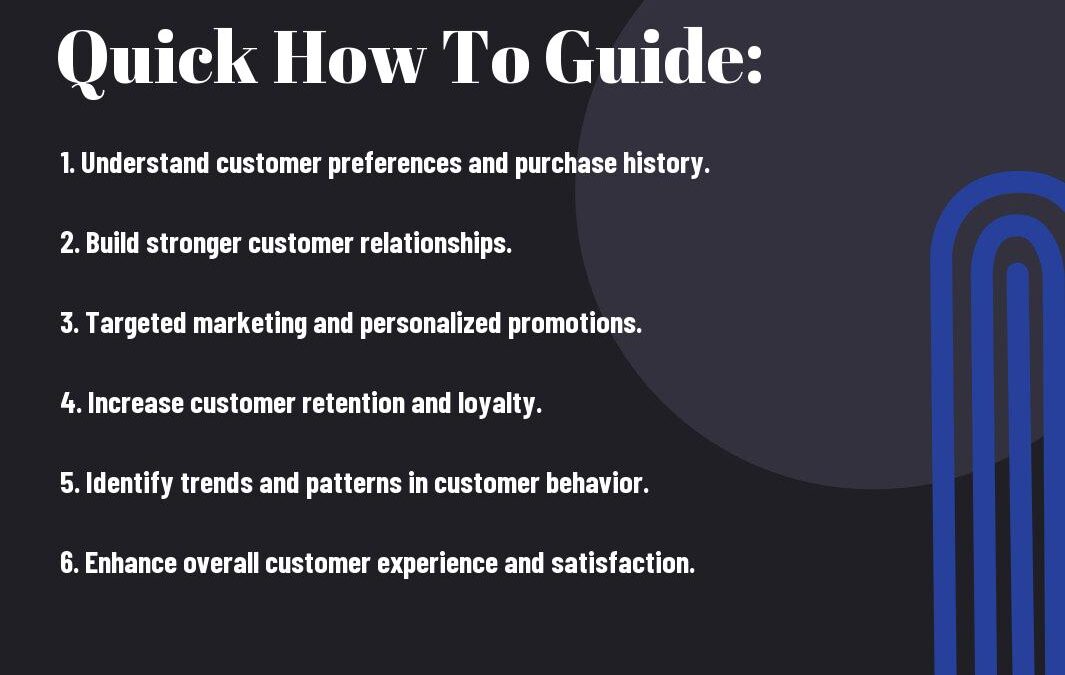
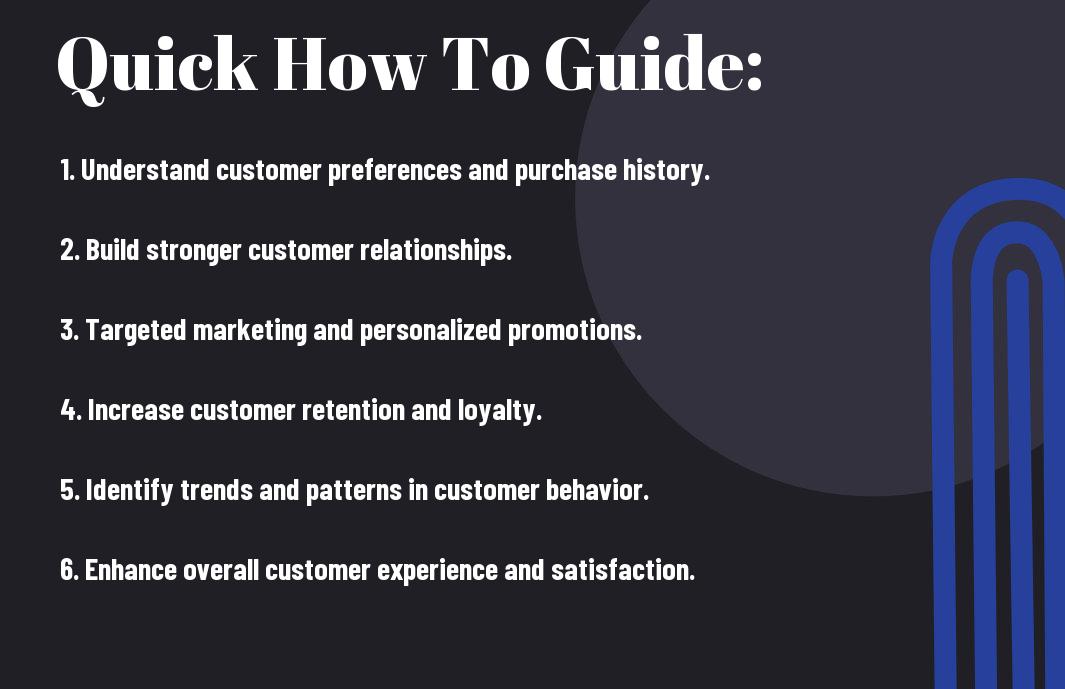
- Improved customer understanding: CRM allows local shop owners to track individual customer interactions and purchase history, leading to a better understanding of customer preferences and behaviors.
- Personalized customer experiences: With CRM data, shop owners can personalize their interactions and marketing efforts to cater to individual customer needs and preferences.
- More targeted marketing: By tracking customer interactions and purchase history, local shop owners can create targeted marketing campaigns that are more likely to resonate with their customer base.
- Increased customer retention: By using CRM to track customer interactions and purchase history, shop owners can improve customer satisfaction, leading to higher customer retention rates.
- Better inventory management: CRM data can help shop owners analyze purchasing patterns and adjust inventory levels accordingly, reducing excess stock and optimizing product availability.
- Enhanced customer service: With access to customer interaction history, shop owners can provide more personalized and efficient customer service, leading to higher customer satisfaction levels.
- Improved decision-making: CRM data provides valuable insights that can help local shop owners make informed decisions about product offerings, pricing strategies, and overall business development.
The Fundamentals of CRM for Local Shops
Any local shop owner knows the importance of building and maintaining strong relationships with their customers. In today’s digital age, customer relationship management (CRM) software has become an essential tool for local shop owners to track customer interactions and purchase history. Understanding the fundamentals of CRM is crucial for leveraging its benefits to drive customer loyalty and increase sales.
Defining CRM and Its Core Functions
Customer relationship management (CRM) refers to a set of practices, strategies, and technologies that businesses use to manage and analyze customer interactions and data throughout the customer lifecycle. The core functions of CRM include capturing customer data, storing it in a centralized database, and analyzing the data to gain insights into customer behavior and preferences. CRM also facilitates communication with customers through various channels, such as email, social media, and phone calls, allowing shop owners to personalize their interactions and provide exceptional customer service.
Implementing CRM software enables local shop owners to track customer interactions, including purchases, inquiries, and feedback, in one centralized system. This not only helps in understanding individual customer needs and preferences but also provides valuable insights into overall buying patterns and trends. By analyzing this data, shop owners can tailor their marketing strategies and product offerings to better meet the needs of their customers, ultimately leading to increased customer satisfaction and loyalty.
The Evolution of CRM in the Digital Age for Retail
In the digital age, CRM has evolved to encompass a wide range of technologies and tools that enable local shop owners to connect with their customers on a deeper level. With the advent of e-commerce and social media, CRM for retail has expanded to include online customer interactions and social listening. This allows shop owners to track customer behavior across multiple channels, providing a comprehensive view of their customers’ purchasing habits and preferences.
Furthermore, the integration of artificial intelligence and machine learning in CRM software has revolutionized the way local shop owners can analyze customer data and predict future buying behavior. By leveraging these advanced technologies, shop owners can gain a deeper understanding of their customers and anticipate their needs, allowing for more personalized marketing and sales strategies.
How to Implement a CRM System
Now that the benefits of using a CRM system for tracking customer interactions and purchase history are clear, it’s important to understand how to implement such a system effectively for a local shop owner. Implementing a CRM system can be a complex process, but if done correctly, it can revolutionize the way a shop owner interacts with their customers, ultimately leading to increased sales and customer satisfaction.
Assessing Your Shop’s Needs and CRM Goals
Before diving into the implementation of a CRM system, a local shop owner should carefully assess their shop’s specific needs and CRM goals. It’s important to have a clear understanding of what the shop hopes to achieve with the CRM system. This may include improving customer engagement, increasing sales, or streamlining marketing efforts. Furthermore, the shop owner should identify the specific customer interaction and purchase history data they need to collect and analyze in order to achieve these goals. By defining these needs and goals upfront, a shop owner can select a CRM system that aligns with their specific requirements.
Tips for Choosing the Right CRM Platform for Local Shops
When it comes to choosing the right CRM platform for a local shop, there are several key factors to consider. First and foremost, the platform should be user-friendly and easily adaptable to the shop’s operations. Additionally, it should offer customization options that allow the shop owner to tailor the system to their unique needs. Integration with existing systems, such as point-of-sale software, and data security are also crucial considerations. It’s important for the shop owner to research and compare different CRM platforms, seeking recommendations from other local businesses when possible.
- Usability: Ensure the CRM platform is user-friendly and easy to navigate for all employees.
- Integration: Look for a CRM platform that seamlessly integrates with existing shop systems, such as point-of-sale software.
- Data Security: Prioritize a CRM platform that offers robust security measures to protect customer data.
Perceiving these factors, a shop owner can make an informed decision when selecting a CRM platform.
Step-by-Step Guide to Setting Up Your CRM System
Setting up a CRM system for a local shop involves several key steps that, when done carefully, can lead to a successful implementation. The first step is data migration, which involves transferring existing customer data into the new CRM platform. This should be done meticulously to ensure accurate and complete records. Once the data is in place, the shop owner can begin segmenting the customer base based on various criteria, such as purchase history or engagement level. Following this, the CRM system should be configured to automate tasks, such as sending targeted marketing emails or tracking customer interactions. Ongoing training and support for shop employees is also crucial to ensure the CRM system is utilized effectively.
| Data Migration | Transfer existing customer data into the new CRM platform carefully and accurately. |
| Segmentation | Divide the customer base based on criteria like engagement level or purchase history. |
| Configuration | Set up the CRM system to automate tasks like targeted marketing and customer interaction tracking. |
| Training and Support | Provide ongoing training and support for shop employees to ensure effective use of the CRM system. |
Navigating Through the CRM Interface
To effectively utilize CRM software for tracking customer interactions and purchase history, it is essential for a local shop owner to navigate through the CRM interface with confidence and ease. The interface provides a wealth of features and functions that can streamline the customer management process, ultimately leading to improved sales and customer satisfaction.
How-to Customize Your CRM Dashboard for Maximum Efficiency
Customizing the CRM dashboard is crucial for a local shop owner to achieve maximum efficiency and productivity. By personalizing the dashboard to display key performance indicators (KPIs), sales data, and customer interaction history, the owner can gain quick access to pertinent information without having to dig through multiple screens. This will help in making informed decisions and taking timely actions to drive the business forward. Furthermore, organizing the dashboard in a way that suits the shop owner’s workflow and preferences can significantly enhance user experience and overall satisfaction with the CRM software.
Tips for Efficiently Tracking Customer Interactions
When using CRM to track customer interactions, it’s important for the local shop owner to implement efficient practices that prioritize customer relationship building and enhance the overall experience for the patrons. Some tips for this include documenting every customer interaction, whether it’s an email, phone call, or in-person visit, to have a comprehensive view of the customer’s engagement with the business. Additionally, utilizing custom fields in the CRM to capture specific details about customers can provide deeper insights into their preferences and behaviors, enabling the owner to tailor interactions and offers accordingly. Lastly, setting reminders and follow-up tasks within the CRM can ensure that no opportunity or customer concern falls through the cracks, leading to a more attentive and responsive approach.
- Document every customer interaction
- Utilize custom fields to capture specific customer details
- Set reminders and follow-up tasks within the CRM
After all, the effective tracking of customer interactions is vital for nurturing relationships, gaining insights into customer preferences, and ultimately driving repeat business and customer loyalty.
Harnessing CRM Data for Enhanced Customer Experience
Lastly, leveraging CRM data can significantly enhance the overall customer experience for a local shop owner. By tracking customer interactions and purchase history, a shop owner can gain valuable insights that enable them to personalize and improve their customer service. This, in turn, can lead to increased customer satisfaction and loyalty.
Analyzing Purchase History: Identifying Trends and Patterns
One of the key benefits of using CRM to track customer purchase history is the ability to identify trends and patterns. By analyzing the data, a shop owner can gain a deeper understanding of their customers’ buying behavior, such as popular products, preferred purchasing channels, and seasonal trends. This insight allows the shop owner to tailor their inventory and marketing strategies to meet the specific needs and preferences of their customers, ultimately leading to increased sales and customer satisfaction.
How to Tailor Promotions and Communications with CRM Insights
Another advantage of using CRM to track customer interactions and purchase history is the ability to tailor promotions and communications. By understanding their customers’ preferences and purchase history, a shop owner can create targeted marketing campaigns that are more likely to resonate with their customer base. For example, they can send personalized promotions based on previous purchases or reach out to customers who have not visited the shop in a while with special offers. This level of customization can result in higher conversion rates and repeat business.
Customer Retention Strategies Using CRM
Despite the importance of attracting new customers, retaining existing ones is equally crucial for the success of any local business. Customer relationship management (CRM) systems can play a pivotal role in developing effective customer retention strategies for local shop owners. By leveraging CRM data, shop owners can personalize their interactions with customers, create loyalty programs, and analyze purchasing behavior to enhance the overall customer experience and drive repeat business.
Developing Personalized Customer Relationships through CRM
One of the key benefits of using CRM for customer retention is the ability to develop personalized relationships with customers. By tracking customer interactions and purchase history, local shop owners can gain a deeper understanding of their customers’ preferences and buying patterns. This enables them to tailor their marketing efforts and communications to specific customer segments, offering personalized promotions, product recommendations, and special offers. By showing customers that they are valued and understood, shop owners can build long-term relationships that are more likely to result in repeat business.
How-to Utilize CRM Data for Loyalty Programs and Retention
CRM data can be instrumental in creating and managing loyalty programs for local shop owners. By leveraging CRM insights, shop owners can identify their most loyal customers and reward them with targeted incentives and rewards. For example, they can offer exclusive discounts, early access to new products, or special VIP events to cultivate a sense of loyalty and appreciation. Furthermore, CRM data can help shop owners identify at-risk customers who may be slipping away and take proactive measures to re-engage them before it’s too late. By utilizing CRM data effectively, shop owners can strengthen customer retention and drive increased customer loyalty, ultimately contributing to the long-term success of their business.
Factors Affecting CRM Success in Local Shops
However, implementing a CRM system in a local shop does not automatically guarantee success. There are several factors that can affect the effectiveness of the system in tracking customer interactions and purchase history. Without consideration of these factors, the shop owner may not realize the full potential of the CRM system.
- Employee Resistance: If employees are resistant to using the CRM system, it can lead to incomplete or inaccurate data, undermining the system’s effectiveness.
- Data Quality: Poor data quality and management can lead to incorrect customer insights, affecting the ability to effectively track interactions and purchase history.
- Integration: Inadequate integration of the CRM system with other business systems can result in fragmented data and hinder the shop owner’s ability to gain a holistic view of customer interactions.
- Customization: Lack of customization to fit the specific needs of the local shop can limit the system’s ability to track relevant customer data efficiently.
Assume that these factors are not properly addressed, the local shop owner may encounter challenges in utilizing the CRM system to its fullest potential.
Ensuring Data Quality and Management within Your CRM System
Quality data is crucial for the effectiveness of a CRM system in tracking customer interactions and purchase history. The local shop owner must ensure that the data entered into the system is accurate, up-to-date, and relevant. This can be achieved by implementing data validation processes, establishing data entry standards, and regularly cleaning and updating the database. Additionally, the shop owner should consider investing in data management tools that can help in organizing and maintaining the data within the CRM system, ensuring its integrity and usability.
Employee Training and CRM Adoption: Tips for a Smooth Transition
When implementing a CRM system, the shop owner must prioritize employee training to ensure a smooth transition and successful adoption of the system. Training programs should focus on educating employees about the benefits of the CRM system, providing them with hands-on experience in using the system, and addressing any concerns or resistance they may have. It’s essential to communicate the positive impact the CRM system can have on their daily tasks and overall efficiency. Perceiving employees as valuable stakeholders in the process and involving them in decision-making can lead to a more seamless adoption of the CRM system.
CRM and Multi-Channel Integration
However, for a local shop owner looking to make the most of their CRM system, it’s important to consider how it integrates with multiple channels. In today’s digital world, customers interact with businesses through various channels such as social media, email, and in-person interactions. A robust CRM system should be able to seamlessly integrate data from these different channels, providing the shop owner with a complete view of their customer’s interactions and purchase history.
How to Integrate CRM with Social Media for a Local Shop
Integrating CRM with social media is essential for a local shop owner to effectively track customer interactions. By connecting CRM with social media platforms, a shop owner can gain valuable insights into their customers’ preferences, behaviors, and feedback. This integration allows them to easily engage with customers, respond to inquiries, and even target specific customer segments with personalized marketing campaigns.
Tips for Using CRM to Track Online and Offline Interactions
When using a CRM system to track both online and offline interactions, a local shop owner can gain a comprehensive understanding of their customer base. By capturing data from online transactions, website visits, and social media interactions, as well as offline purchases and in-store interactions, a shop owner can create a complete customer profile. This can help them identify trends, predict customer behavior, and tailor their marketing efforts to better meet their customers’ needs. It’s crucial for a shop owner to ensure that their CRM system is capable of capturing data from all channels, both online and offline, to gain a unified view of customer interactions.
- Regularly update customer information: Keeping customer profiles updated with the latest interactions and purchase history ensures that the shop owner can effectively track and manage their customer relationships.
- Utilize segmentation: Segmentation allows the shop owner to categorize customers based on their interactions and purchase history, enabling targeted marketing campaigns and personalized communication.
- Integrate with loyalty programs: Integrating CRM with loyalty programs allows the shop owner to reward and incentivize customers based on their interactions and purchase history, fostering customer loyalty and repeat business.
This comprehensive approach to utilizing CRM for tracking online and offline interactions can yield significant benefits for a local shop owner, providing them with valuable insights to enhance customer relationships and drive business growth. By leveraging CRM to capture and analyze customer data across all channels, a shop owner can make more informed decisions and better serve their customer base.
Monitoring CRM Metrics for Shop Performance
However, simply implementing a CRM system is not enough for a local shop owner to reap the full benefits. It is crucial to monitor the CRM metrics to track the performance of the shop. By regularly analyzing the data collected in the CRM system, the shop owner can gain valuable insights into customer behavior, sales trends, and overall business performance.
Key Performance Indicators (KPIs) to Track Using Your CRM
One of the most important aspects of monitoring CRM metrics is tracking key performance indicators (KPIs) that provide a clear understanding of the shop’s performance. KPIs such as customer acquisition cost, customer lifetime value, sales conversion rates, and customer retention rates can provide valuable insights into the effectiveness of the shop’s marketing and sales strategies. By analyzing these KPIs, the shop owner can identify areas for improvement and make data-driven decisions to optimize their business operations.
It is important for a shop owner to regularly review KPIs to assess the impact of their marketing and sales efforts. By tracking KPIs through a CRM system, they can identify trends and patterns in customer behavior, which can help them tailor their marketing and sales strategies to better meet the needs of their customers. Additionally, by monitoring KPIs, the shop owner can identify any potential issues or challenges that may be impacting their business performance and take proactive measures to address them.
How to Use CRM Reports to Make Data-Driven Decisions
In addition to tracking KPIs, shop owners can use CRM reports to make data-driven decisions that can have a significant impact on their business. CRM reports can provide valuable insights into customer preferences, purchase patterns, and sales trends, allowing the shop owner to make informed decisions about product offerings, pricing strategies, and promotional activities. By analyzing CRM reports, shop owners can identify opportunities for upselling and cross-selling, as well as devise targeted marketing campaigns to drive sales and customer engagement.
Moreover, CRM reports can also help shop owners to forecast sales, identify seasonal trends, and track the performance of marketing campaigns. By leveraging this data, they can optimize their inventory management, plan for peak sales periods, and allocate resources more effectively. With the ability to make data-driven decisions based on CRM reports, shop owners can stay ahead of the competition and ensure the long-term success of their business.
By monitoring CRM metrics, tracking KPIs, and using CRM reports to make data-driven decisions, a local shop owner can gain a comprehensive understanding of their customer interactions and purchase history, ultimately leading to improved customer satisfaction, increased sales, and sustainable business growth.**Case Studies and CRM Success Stories**
To understand the real benefits of using CRM to track customer interactions and purchase history, it’s essential to look at some real-life success stories. Here are a few case studies that highlight the impact of CRM on local shop owners’ businesses:
- Case Study 1: A local boutique saw a 20% increase in customer retention after implementing a CRM system. Additionally, their sales increased by 15% within the first year of using CRM to track customer interactions and purchase history.
- Case Study 2: A small coffee shop saw a significant improvement in customer satisfaction ratings after implementing CRM. They were able to personalize their marketing campaigns and saw a 25% increase in customer engagement.
- Case Study 3: A neighborhood bookstore leveraged CRM to track customer preferences and purchase history, resulting in a 30% increase in upselling and cross-selling opportunities.
**Local Shops That Transformed Their Business with CRM**
Many local shops have experienced a positive transformation in their business after implementing CRM systems. For example, a small bakery was struggling to keep track of customer orders and preferences. With the help of CRM, they were able to streamline their order management process and personalize their customer interactions. As a result, they saw a significant increase in repeat orders and customer satisfaction.
Similarly, a family-owned hardware store used CRM to track their customer interactions and purchase history. This enabled them to send targeted promotions and personalized offers to their customers. As a result, they saw a 20% increase in sales within the first few months of implementing CRM.
**Factors Contributing to Their CRM-Driven Success**
The success of these local shops can be attributed to several key factors:
- Personalized Marketing: CRM allowed them to personalize their marketing efforts based on customer preferences and purchase history.
- Improved Customer Service: With CRM, they were able to provide better customer service by understanding individual customer needs and preferences.
- Streamlined Operations: CRM helped them streamline their business operations, leading to increased efficiency and productivity.
The implementation of CRM systems has empowered local shop owners to make data-driven decisions and build stronger relationships with their customers. The ability to track customer interactions and purchase history has given them a competitive edge, allowing them to provide personalized experiences and drive business growth.
Advanced CRM Features and Third-Party Add-Ons
Last but not least, advanced CRM features and third-party add-ons can take customer interaction tracking to the next level for local shop owners. These tools offer enhanced functionality and customization options that can further streamline the way they manage customer relationships and sales data.
Here’s a breakdown of some advanced CRM features and third-party add-ons that can benefit local shop owners:
| Feature/Add-On | Benefits |
| Advanced Reporting Tools | Access to in-depth analytics and insights for better decision-making |
| Customization Options | Ability to tailor CRM system to specific business needs and processes |
| Integration with E-Commerce Platforms | Seamless syncing of online sales data with CRM for a holistic view of customer interactions |
| Automated Marketing Campaigns | Efficiently run targeted marketing initiatives based on customer behavior and purchase history |
| Customer Segmentation | Ability to categorize customers for personalized communication and sales strategies |
Exploring Advanced CRM Tools for Enhanced Functionality
Local shop owners can leverage advanced CRM tools to gain a deeper understanding of their customer base and drive more personalized interactions. These tools offer features such as advanced reporting, customization options, e-commerce platform integration, automated marketing campaigns, and customer segmentation. These functionalities allow for better decision-making, tailored management of customer relationships, and targeted marketing initiatives based on customer behavior and purchase history.
Tips for Integrating Third-Party Applications to Your CRM
When it comes to integrating third-party applications with their CRM system, local shop owners should consider a few key factors. They can utilize integration tools and APIs provided by their CRM provider to seamlessly connect with other business tools. Additionally, they should prioritize data security and ensure that the third-party applications comply with relevant regulations. Recognizing the importance of maintaining a cohesive and efficient system, local shop owners should carefully evaluate the compatibility and potential benefits of integrating third-party applications to their CRM.
Overcoming Challenges with CRM in a Local Shop Setting
However, implementing a CRM system in a local shop setting can come with its own set of challenges. The shop owner may face issues such as limited budget, lack of technical expertise, and resistance from employees who are resistant to change. Additionally, the shop owner may struggle with finding the right CRM software that is tailored to their specific needs and is within their price range.
Identifying Common CRM Pitfalls and How to Avoid Them
One common pitfall in implementing a CRM system is overcomplicating the process. The shop owner may be tempted to include too many features and functions, leading to confusion and frustration among employees. To avoid this, the owner should start with the most essential features and gradually incorporate additional ones as the team becomes more comfortable with the system. It is also important to provide adequate training and support to employees to help them adapt to the new system.
Troubleshooting Tips for Common CRM Issues
When facing difficulties with CRM, it’s important for the shop owner to troubleshoot the issues to optimize the system’s performance. Some common issues with CRM in a local shop setting include data inconsistency, poor integration with other systems, and lack of user adoption. To address these issues, the shop owner should regularly review and clean up their data to ensure accuracy and consistency. They should also work towards integrating the CRM system with other business systems to facilitate seamless flow of information. Providing regular training and incentives for employees to use the CRM system can boost user adoption and address the issue of resistance.
- Data inconsistency: Regularly review and clean up data to ensure accuracy.
- Poor integration with other systems: Work towards integrating CRM system with other business systems for seamless flow of information.
- Lack of user adoption: Provide regular training and incentives for employees to use the CRM system.
This proactive approach will help the shop owner to maximize the benefits of their CRM system and ensure that it remains a valuable asset for their business.
Conclusion: The Benefits of Using CRM for a Local Shop Owner
Hence, utilizing customer relationship management (CRM) to track customer interactions and purchase history can be extremely beneficial for a local shop owner. By implementing a CRM system, he can gain valuable insights into his customers’ preferences, behaviors, and buying patterns. This, in turn, allows him to tailor his marketing efforts, create personalized promotions, and provide a more targeted and relevant shopping experience for his customers. Additionally, having access to comprehensive customer data enables him to build stronger and more meaningful relationships with his patrons, resulting in increased customer loyalty and retention.
Moreover, a CRM system can streamline the shop owner’s operations, making it easier to manage and maintain customer relationships. With the ability to track customer interactions, he can ensure that no customer inquiry or issue goes unresolved, leading to improved customer satisfaction and a positive reputation in the local community. Lastly, by leveraging the data collected through CRM, he can make more informed business decisions, such as stock management, product assortment, and pricing strategies, ultimately leading to increased sales and profitability for his shop.
FAQ
Q: What are the benefits of using CRM to track customer interactions and purchase history for a local shop owner?
A: Using a Customer Relationship Management (CRM) system to track customer interactions and purchase history has several benefits for local shop owners. It helps in understanding customer preferences, improving customer relationships, and increasing customer retention.
Q: How does CRM help in understanding customer preferences?
A: CRM allows shop owners to keep a record of every interaction with customers, including their purchase history, inquiries, and feedback. By analyzing this data, shop owners can gain insights into customer preferences and behavior, enabling them to tailor their offerings to better meet customer needs.
Q: What impact does CRM have on improving customer relationships?
A: By maintaining a comprehensive record of customer interactions and purchase history, shop owners can provide personalized and targeted communication with customers. This can lead to better engagement, fostering stronger and more meaningful relationships with customers.
Q: How does CRM contribute to increasing customer retention?
A: CRM enables shop owners to identify and segment their customer base based on their purchasing behavior and preferences. By understanding their customers better, shop owners can implement targeted marketing strategies and loyalty programs to retain existing customers and attract new ones.
Q: Can CRM help in streamlining business operations for local shop owners?
A: Yes, CRM systems can help in streamlining various business operations, such as inventory management, sales tracking, and customer support. By centralizing customer data and automating certain processes, shop owners can optimize their operations and improve overall efficiency.
Q: What are some additional benefits of using CRM for local shop owners?
A: In addition to customer tracking and engagement, CRM systems can also provide valuable insights into sales trends, marketing effectiveness, and overall business performance. This information can help shop owners make informed decisions and drive business growth.
Q: How can local shop owners choose the right CRM system for their business?
A: When selecting a CRM system, shop owners should consider factors such as the size of their customer base, their specific business needs, and the scalability of the CRM solution. It is important to choose a system that can adapt to the evolving needs of the business and provide a seamless user experience.
Related posts: